For partners · 5 min read
Enlisting as a partner
Walk through the three-step enlistment wizard and what to have ready before you start.
Partners publish a storefront and sell products, services, or agents on Mediery. Enlistment is a short three-step wizard — start it from “Enlist” in the top navigation (/register/partner).
What to have ready
- Your business name and office address.
- The registrant’s name, email, and phone number.
- Your registration certificate and the registrant’s ID document (PDF, JPG, or PNG, up to 5MB each).
- Optionally, your logo — you can also add it later.
Step 1 — Business details
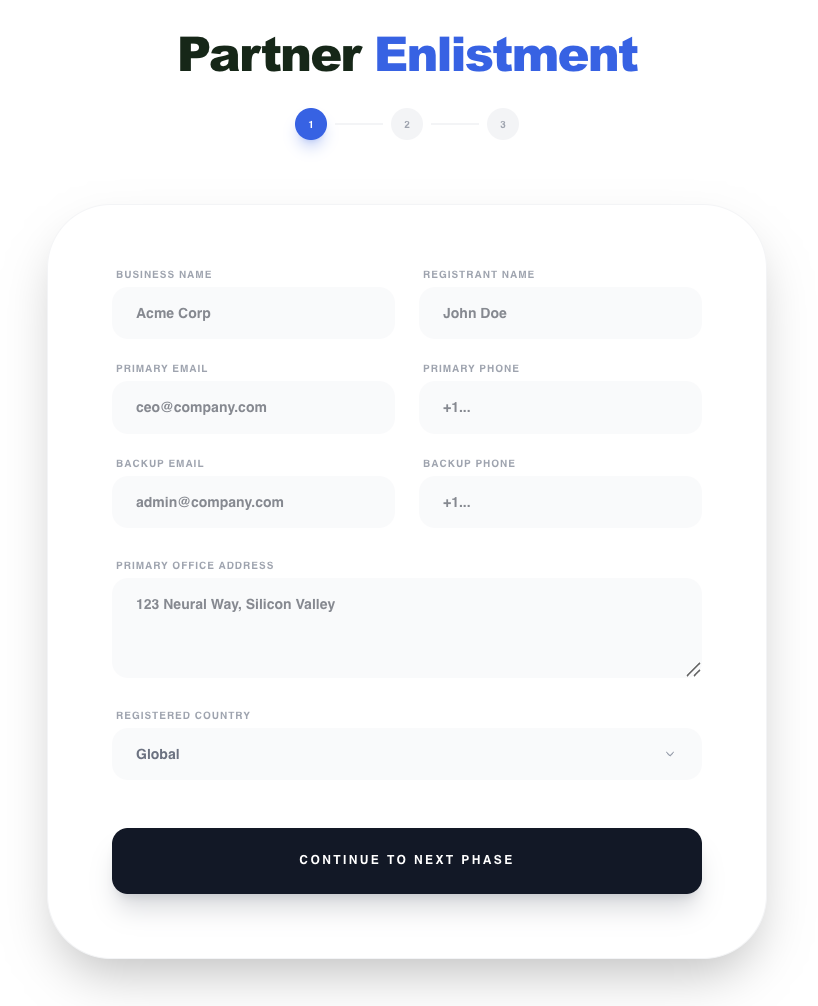
Enter your business name, registrant name, primary email and phone, office address, and country. We check that your email is available before letting you continue.
Step 2 — Documents
Upload your registration certificate and the registrant’s ID document. The logo upload is optional and can be set later from your storefront settings.
Step 3 — Account & consent
- 1Choose a username (at least 3 characters) and a strong password.
- 2Pick your product offering type and preferred sales channels; add a brand slogan if you like (optional).
- 3Accept the Terms of Service and Privacy Policy (marketing emails optional).
- 4Choose “Complete Enlistment”.
If you plan to list an AI agent, complete the Provider Enlistment Pack (downloadable from the Information page) — it covers the security, data-handling, and DPA attestations we review before listing an agent.
Once enlisted you land in your Partner Console. See “Your partner dashboard”.